The only HRMS that pays your field agents' incentives for you.
Most HR tools stop at attendance. Seers runs the field-sales engine too — agent activations, period targets, incentive slabs, and one-click payouts for your whole field force.
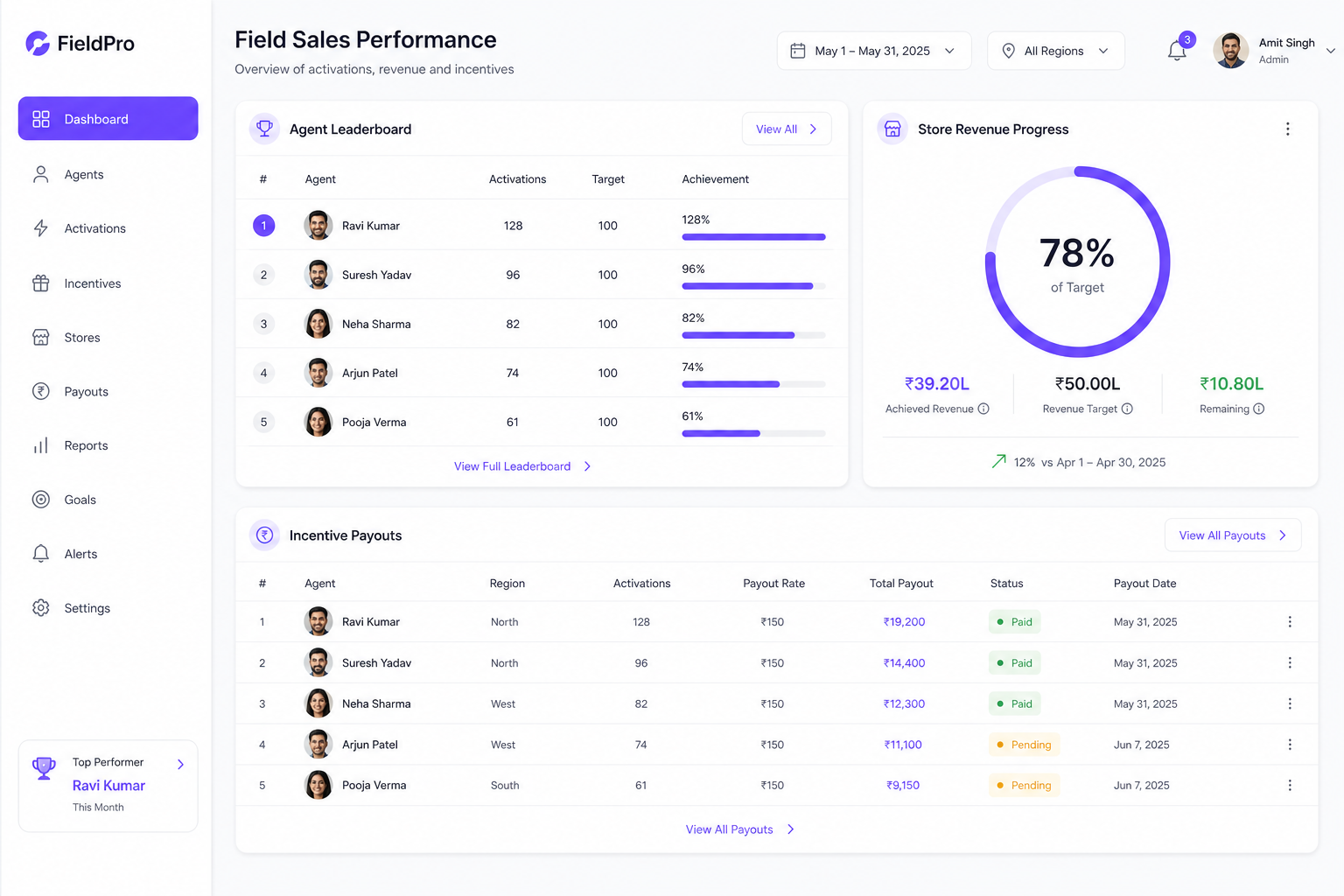
Most HRMS tools stop at attendance. Seers runs the incentive engine too — so the period closes with payouts computed, not a spreadsheet to reconcile.
Every agent, mapped and measured
Map field agents (FOS / TC / CRE / CP) to their employee records, log activations each period, and see who is pulling their weight with per-agent scorecards.
- Agent-to-employee mapping so field results flow into HR + payroll
- Per-period activation logging, imported from your source workbook or entered by reps
- Agent scorecards + drilldowns: activations, targets met, incentive earned

Targets that actually mean something
Set per-agent activation counts and store-level revenue targets for the period, then watch live progress instead of chasing a shared sheet.
- Per-employee count targets + store revenue targets, per period
- Live progress against target on the store manager dashboard
- Store finalize / lock so a closed period stays closed

Incentives computed, not calculated by hand
Define your incentive slabs once. Seers computes every agent’s payout for the whole period in one click, with the math auditable line by line — no spreadsheet, no arguments.
- Configurable incentive slabs (count-based, revenue-based, COCA fields)
- One-click payout computation for the entire period
- Every payout traceable to the activation + slab that produced it
The field-sales engine feeds the rest of Seers.
Activations
Field activations feed the same core as attendance and leave.
Payroll
Computed incentives flow into the payroll run for the period.
Payslip
The payout lands on the agent’s Indian payslip PDF, itemised.
Everything the field-force module does
- Agent roster (FOS / TC / CRE / CP) mapped to employees
- Per-period activation logging + workbook / email import
- Per-employee count targets + store revenue targets
- Configurable incentive slabs (count / revenue / COCA)
- One-click payout computation for the whole period
- Agent scorecards + per-agent drilldowns
- Store manager dashboard with live target progress
- Period finalize / lock with a full audit trail
Field-force questions
What kind of business is this for?
Any org with a field or door-to-door sales force paid on performance — telecom retail stores and distribution networks, direct-sales teams, field-service crews. If you pay incentives on what agents sell or activate, this is for you.
How are payouts computed?
You define incentive slabs once (count-based, revenue-based, or the COCA fields telecom uses). Each period, Seers reads the logged activations, applies the slabs, and computes every agent’s payout in one click — each amount traceable to the activation and slab that produced it.
How does data get in?
Import the period’s activation workbook (upload, or forward it to a dedicated address for automatic import), or let reps self-enter and managers approve. Duplicates and self-entries are reconciled for you.
Does it replace my payroll?
No — it feeds it. Computed incentives flow into the same payroll run as salary, so the agent’s payslip shows base pay and incentive together, for the same period.
Stop reconciling incentive spreadsheets.
Set up your slabs, import a period, and let Seers pay your field force.